Drop in a model
Start from GLB, glTF, OBJ, or a SolidWorks workflow and inspect the parts that came in.
GLB-first product render studio
Turn CAD and 3D models into clean product renders without building Blender scenes by hand.
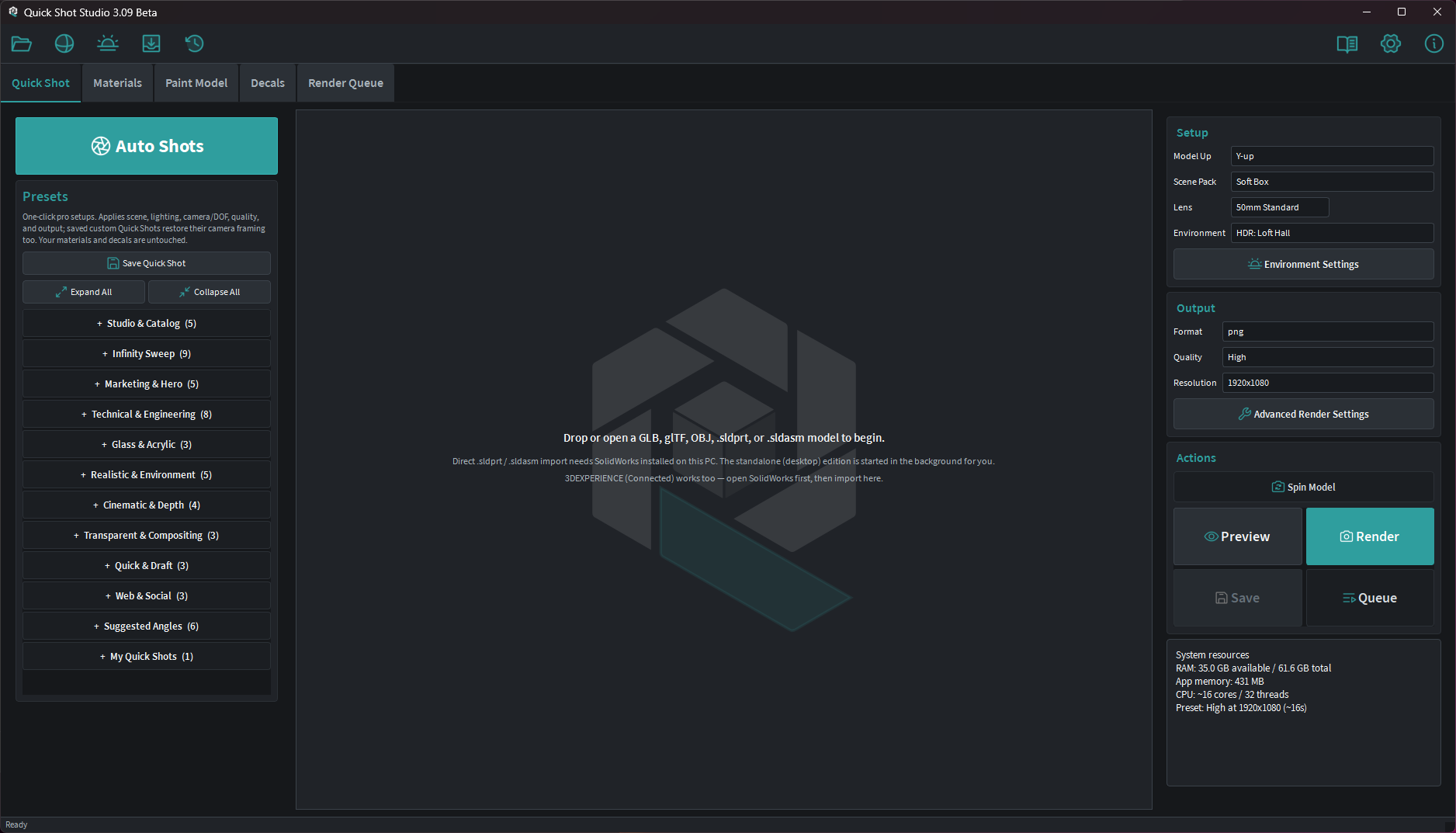
Bring in the model, choose the shot, tune only what matters, and render a polished image. The advanced rendering machinery stays available without becoming the starting point.
Start from GLB, glTF, OBJ, or a SolidWorks workflow and inspect the parts that came in.
Apply shot presets, studio lighting, materials, decals, and camera framing from a focused interface.
Send the final frame through Blender-backed rendering and export a clean product image.
CAD compatibility
Quick Shot Studio is built around a predictable GLB-first workflow. Export a model from your CAD package, open it, choose materials and a shot, then render through Blender without building a Blender scene by hand.
Open SolidWorks parts and assemblies directly. Requires SolidWorks 2019 or newer, standalone or 3DEXPERIENCE.
.sldprt / .sldasmUse open 3D exports from modern CAD and modeling tools to preserve geometry, part structure, colors, textures, and render-facing material data.
Best general workflowFor tools without a clean GLB or glTF route, STEP, STP, and OBJ give a practical fallback path into the app before assigning final materials.
Flexible model intakeQuick Shot Studio is intentionally narrower than a full visualization suite. It focuses on mechanical product images, believable materials, controlled lighting, and repeatable studio output.
Render-ready looks for catalog images, dark dramatic shots, transparent PNG output, and technical documentation.
Assign materials per part, tune surface mapping, use curated libraries, and add controlled scratches, machining, grime, dust, and edge wear.
Use calibrated scene packs, HDR environments, and focused lighting controls without hand-building a render scene.
Batch multiple shots, generate Auto Shots with one button, compare renders, and create contact sheets for fast review.
Place logos, markings, and product labels with live placement controls that stay attached through render output.
Create clean product spin videos with camera, lighting, decals, and materials kept together.
Beta status
Early builds are focused on real-world validation: import reliability, first-render quality, material believability, install trust, and the path from model to useful product image.
Public downloads will open once the beta workflow is ready for users who have no setup help or product context.
SolidWorks import requires SolidWorks 2019 or newer, standalone or 3DEXPERIENCE. Current testing covers SolidWorks 2025, 2026, and 3DEXPERIENCE R2026x. Other CAD tools can feed Quick Shot Studio through GLB, glTF, OBJ, exporter add-ins, or conversion workflows depending on the version and export options available.
No. It uses Blender as the render engine while keeping the everyday product-shot workflow focused and guided.
The strongest path is GLB and glTF, with OBJ support and SolidWorks workflows for mechanical CAD users.
No. Direct native CAD import is focused on SolidWorks. Other CAD tools work through GLB, glTF, OBJ, STEP, STP, exporter add-ins, or conversion before opening the model in Quick Shot Studio.
It is designed for people who need believable product images quickly, not enterprise visualization pipelines, VR publishing, or cinematic scene production.
After closed beta proves the install path, import flow, and first-render quality are strong enough for users without hand-holding.